



April 20, 2026
5 min read
Team

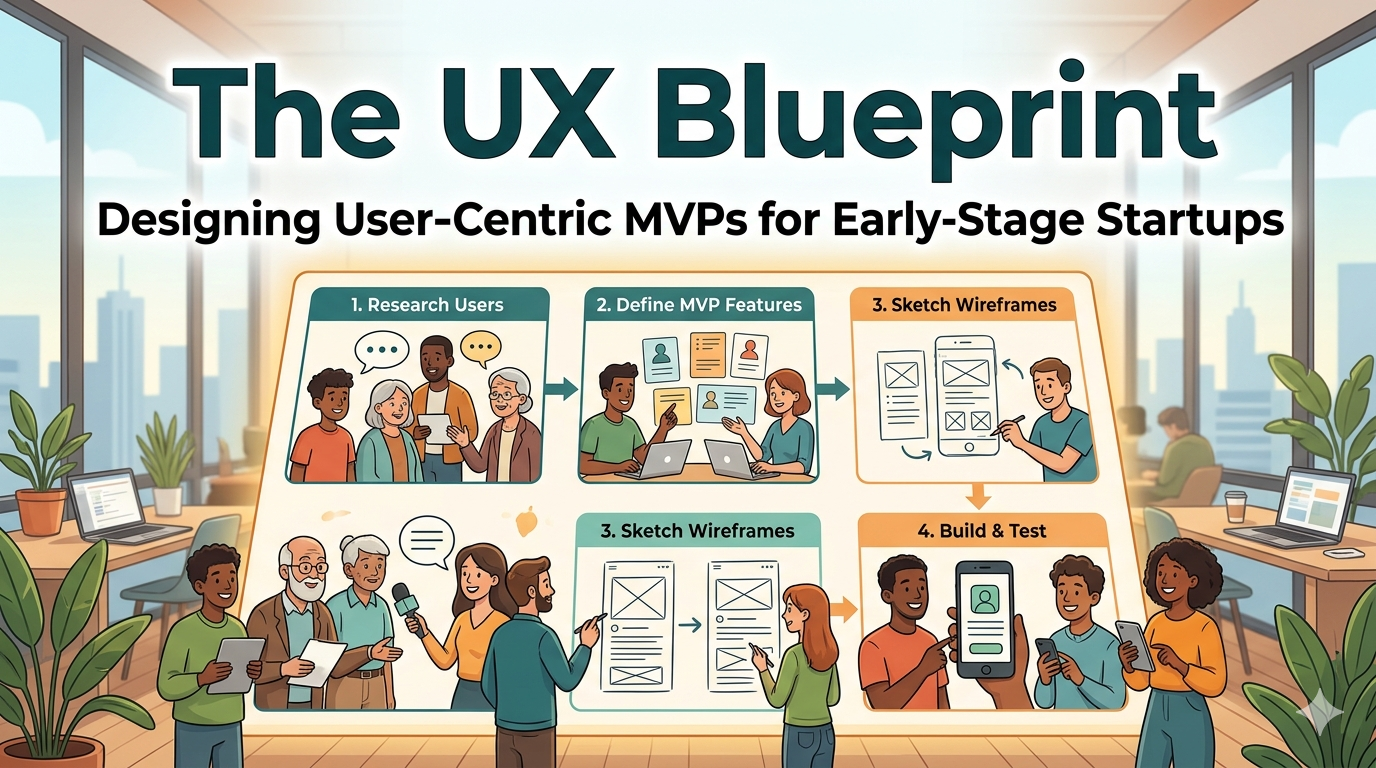
The UX Blueprint: Designing User-Centric MVPs for Early-Stage Startups

Learn how to de-risk development with our UX blueprint for MVPs. This guide shows early-stage startups how to design user-centric products that solve real problems.

UXMVP
Share this article:
The UX Blueprint: Designing User-Centric MVPs for Early-Stage Startups

For an early-stage startup, a Minimum Viable Product (MVP) is the fastest way to validate a business idea in the real world. However, launching an MVP that solves a real problem but provides a frustrating user experience can lead to a false negative—users rejecting the product not because the idea is bad, but because it's too difficult to use. This guide prevents that costly mistake.

A UX Blueprint is a step-by-step framework that integrates User-Centered Design and Lean UX principles into the MVP development process. Its purpose is to de-risk development and ensure your MVP effectively tests the core value proposition while delivering genuine value to early adopters. Following this guide will provide you with a chronological plan for designing MVPs that prioritize user needs and maximize learning.

Why a UX Blueprint is Non-Negotiable for MVPs

Creating an MVP without a UX blueprint is like building a house without architectural plans. You might end up with a structure, but it's unlikely to be functional or desirable. A clear blueprint ensures you:

  • Solve the Right Problem: It forces you to validate user needs first, preventing you from building a perfect solution to a problem nobody has.
  • De-Risk Investment: By testing design concepts with low-cost prototypes, you identify and fix major usability flaws before a single line of code is written, saving significant time and money.
  • Align Your Team: The blueprint serves as a single source of truth, ensuring that product managers, designers, and developers are all building toward the same user-centric goal.
  • Accelerate Learning: It focuses your efforts on testing your most critical assumptions, allowing you to gather meaningful feedback and iterate faster.
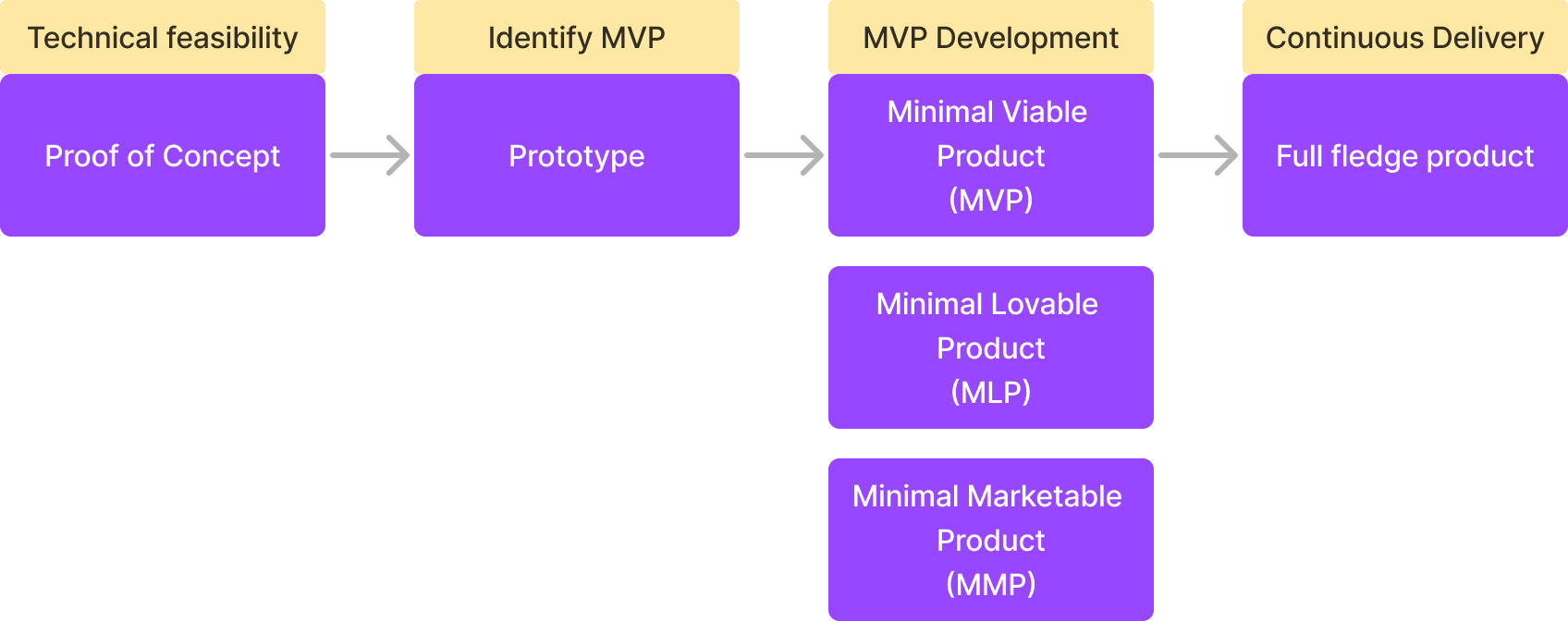
A diagram demystifying the concept of a Minimum Viable Product (MVP)

The Core Principles: Connecting Lean UX and MVP

The MVP concept is a cornerstone of the Lean Startup methodology, and its design process is powered by Lean UX. This isn't a coincidence; they are two sides of the same coin.

  • Lean Startup is the strategy: Build-Measure-Learn. It's about reducing waste and uncertainty in product development.
  • MVP is the tactic: What is the smallest experiment we can run to start the learning loop?
  • Lean UX is the process: How do we design that experiment with a focus on user feedback, cross-functional collaboration, and rapid iteration?

Together, they create a powerful framework for building products that people actually want and will use.

What is an MVP in UX?

An MVP in UX is the most basic, functional version of a product released to an initial set of users to gather feedback and validate a product idea with the least amount of effort. It is not a buggy or unfinished product; it is a complete, usable experience with a reduced feature set focused on solving one core problem for a specific target audience.

The goal is to answer one critical question: "Does this solution solve a real problem for our target users in a way they find valuable?" By focusing on this, you avoid wasting months of engineering time building features nobody wants.

MVP vs. Related Concepts: A Clear Comparison

It's common to confuse MVPs with other early-stage product concepts. Here’s a clear breakdown of the differences:

Concept Primary Focus Key Question Outcome
Minimum Viable Product (MVP) Viability & Learning Is this core idea valuable to users? A functional, live product with a minimal feature set used to gather real-world data and feedback.
Proof of Concept (POC) Feasibility Can we technically build this feature or system? An internal, often non-functional, demonstration to prove a technical concept is possible. It is not intended for users.
Minimum Lovable Product (MLP) Desirability Do users have an emotional connection to this? An MVP plus a higher level of design polish and user delight to create strong early advocates and word-of-mouth marketing.

Your 6-Step UX Blueprint for an Effective MVP

This six-step process provides a chronological path from a raw idea to a user-validated design, ready for development.

Step 1: Define the Problem and Formulate a Testable Hypothesis

Before any design work begins, anchor your entire effort in a real, validated user problem. Initial discovery research should identify clear pain points your target users are currently experiencing.

Once the problem is clear, translate your proposed solution into a simple, testable hypothesis. This format is a great starting point:

"We believe that [target audience] will [perform a key action] using [our core feature] because it solves [their specific problem]. We will know this is true when we see [a measurable outcome].

Example: "We believe that freelance social media managers will sign up for our service using our automated content scheduler because it solves the hassle of manual posting. We will know this is true when we see a 10% conversion rate on our beta sign-up page."

This exercise forces you to define your core value proposition—the single most important value you promise to deliver.

Step 2: Conduct Lean User Research to Understand Your Audience

Embrace Lean UX by conducting just enough research to make informed decisions quickly. The goal isn't to write a 100-page report but to gain empathy and validate your problem hypothesis.

  • User Interviews: Speak with 5-7 potential users from your target demographic. Ask open-ended questions like, "Walk me through the last time you tried to [accomplish the task related to your problem]," to understand their context, motivations, and current workarounds.
  • Surveys: Use simple surveys (like Google Forms or Typeform) to quantify the problem's prevalence and gather basic demographic data from a slightly larger audience (50-100 respondents is a good start).
  • Competitor Analysis: Briefly analyze 2-3 direct or indirect competitors. Identify how they solve the problem and look for obvious gaps or frustrations in their user experience that you can exploit.

Step 3: Prioritize Features for Maximum Learning and Viability

Start by brainstorming every feature you could possibly build. Then comes the most critical part of MVP design: ruthless prioritization.

Use a framework to decide what makes the cut. A 2x2 matrix plotting User Value vs. Implementation Effort is a classic starting point.

  • Quick Wins (High Value, Low Effort): These are your top MVP candidates.
  • Major Projects (High Value, High Effort): Include only the most essential of these that enable the core value proposition.
  • Fill-ins (Low Value, Low Effort): Avoid these; they add clutter.
  • Time Sinks (Low Value, High Effort): Reject these immediately.

For a more nuanced approach, consider the Kano Model, which categorizes features into Must-be, Performance, and Attractive. For an MVP, you must include all "Must-be" features and one or two "Performance" features that directly support your core value proposition.
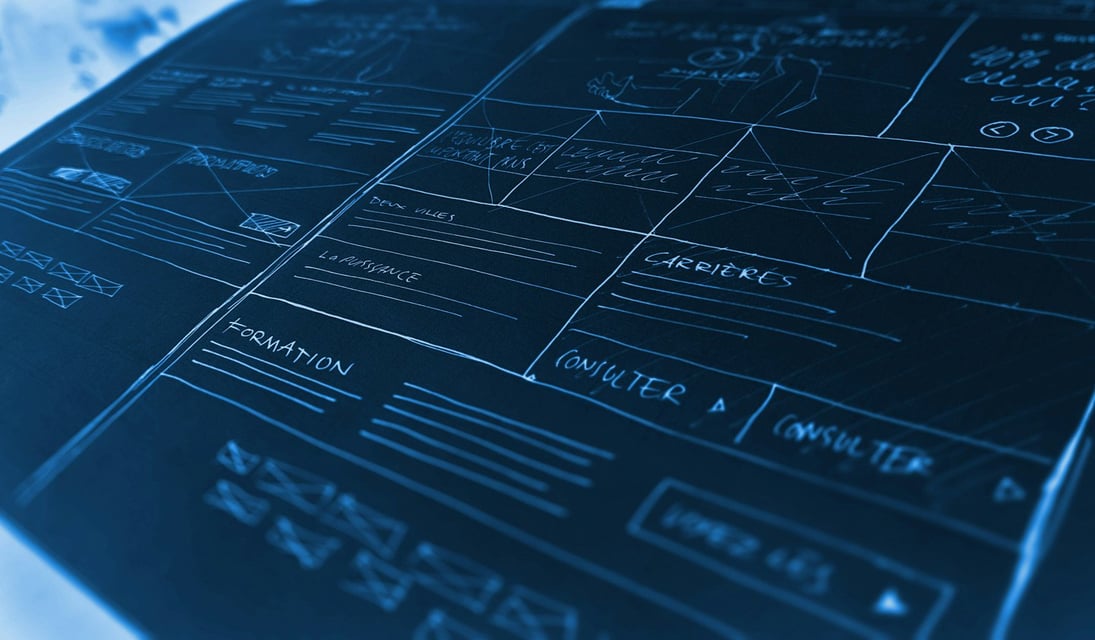
A user experience blueprint for building Minimum Viable Products being mapped out on a whiteboard

Step 4: Map the Core Journey with User Flows and Wireframes

With a prioritized feature list, it's time to design the product's structure.

  • Create User Flows: A user flow is a simple diagram that maps the step-by-step path a user will take to achieve their primary goal. This "happy path" should be as linear and frictionless as possible. For a new e-commerce app, it might be: Homepage -> Product Page -> Add to Cart -> Checkout -> Confirmation.
  • Develop Wireframes: Wireframes are low-fidelity, black-and-white layouts of each screen in the user flow. They focus entirely on structure, information hierarchy, and functionality, ignoring colors and branding to facilitate fast iteration.

Step 5: Build and Test with Rapid Prototyping

This step validates your design decisions with real users before any code is written.

Using a tool like Figma, turn your static wireframes into a clickable, interactive prototype. This simulates the final product's experience without the development overhead.

Next, conduct usability testing sessions with 5-7 members of your target audience. Give them a specific task to complete using the prototype and ask them to "think aloud" as they navigate. Pay close attention to where they hesitate, get confused, or express frustration.

Step 6: Analyze, Iterate, and Prepare for Development

The feedback loop is the engine of the lean startup. After your usability tests, synthesize the feedback to identify recurring patterns and actionable insights.

  • Iterate: Make changes to your prototype based on the most critical feedback. The goal is to refine the design until users can complete the core task intuitively.
  • Prepare for Handoff: Once the UX is validated, create the final, high-fidelity UI design. Package your user flows, interactive prototype, and design assets for the development team to ensure a smooth transition from design to code.

Key Deliverables of an MVP Blueprint

Following the blueprint will produce a set of essential artifacts that guide development and ensure team alignment. These typically include:

  • User Personas: Simple profiles representing your target users.
  • Journey Maps: Visualizations of the user's current (painful) process.
  • Prioritized Feature List: A definitive scope for the MVP.
  • User Flow Diagrams: The step-by-step path for the core task.
  • Wireframes: Low-fidelity screen layouts.
  • Interactive Prototype: A clickable model of the product for testing.
  • Usability Testing Report: A summary of key findings and required changes.

Real-World UX MVP Examples

Some of the most successful tech companies started with brilliantly simple MVPs that were focused on learning, not features.

  • Buffer (Landing Page MVP): Before building any code, founder Joel Gascoigne created a simple two-page website describing a product that could schedule tweets. This low-effort test was enough to validate demand and convince him to build the product.
  • Dropbox (Explainer Video MVP): Instead of building a full product to explain a complex technical concept, Drew Houston created a simple explainer video demonstrating how Dropbox would work. The video drove thousands of sign-ups to their beta waiting list, proving people wanted the product.
  • Zappos (Wizard of Oz MVP): To test the hypothesis that people would buy shoes online, founder Nick Swinmurn took pictures of shoes at local stores and posted them on a basic website. When an order came in, he bought the shoes and shipped them himself. This validated the core business idea with zero inventory risk.

Essential Tools and Templates

  • Collaboration & Ideation: Miro, FigJam, or a large physical whiteboard for brainstorming and mapping.
  • Design & Prototyping: Figma, Sketch, or Adobe XD for creating wireframes and interactive prototypes.
  • User Testing & Feedback: Maze, UserTesting.com, or simple video conferencing tools like Zoom for moderated sessions.
  • Documentation: Notion or Confluence to create a centralized source of truth for your research and design decisions.

Common Pitfalls to Avoid When Designing an MVP

  • Solving a Non-Existent Problem: The most common failure. This happens when you skip Step 1 and 2, falling in love with a solution before confirming the problem is real and painful for a specific audience.
  • Feature Creep (The "M" in MVP is "Minimum"): Adding "just one more feature" dilutes the core value proposition, increases complexity, and delays learning. Be ruthless in your prioritization.
  • Ignoring User Feedback: An MVP's purpose is to generate feedback. If you collect it but don't use it to iterate and improve, you've wasted the entire effort.
  • Polishing Too Much: Spending weeks perfecting the visual design of an untested idea is a form of waste. Focus on clean, functional, and intuitive UX first. Lovability comes after viability.

FAQ: Designing Minimal Viable Products

How is an MVP different from a prototype?
A prototype is a non-functional model used for early usability testing and internal alignment ("What should it look like?"). An MVP is a functional, live product released to real users to test market viability and learn from their behavior ("Should we build this?").

What is the difference between an MVP and an MLP (Minimum Lovable Product)?
An MVP focuses on being "viable"—it works and solves the core problem. An MLP raises the bar by aiming to be "lovable." It incorporates a higher level of design polish and user delight, even with a minimal feature set, to turn early adopters into passionate advocates.

How do Lean UX principles apply to MVP design?
Lean UX is the engine of MVP design. It emphasizes ruthlessly prioritizing features to test the riskiest assumptions, using rapid prototyping to get feedback before coding, and relying on a tight feedback loop with real users to guide the product development process.

Can you have a successful MVP without any UI design?
Absolutely. Non-software MVPs like the Zappos "Wizard of Oz" example or "Concierge" MVPs (where the service is performed manually) are designed to test the value proposition without a product interface. However, for a software MVP, a clean and intuitive UI is crucial to ensure feedback is about the product idea, not a confusing design.

From Blueprint to Launch: What’s Next?

Following this UX blueprint significantly de-risks your product launch by ensuring your MVP is built on a foundation of user understanding and validation. The blueprint prepares you for development, but development prepares you for launch—and launch requires an audience. An amazing product that no one sees cannot generate the feedback needed for growth.

For founders ready to showcase their new product, a startup discovery platform is the logical next step. Platforms like https://www.whatlaunched.today are built specifically for this moment. It provides a dedicated space where you can launch your MVP directly to an audience of thousands of other makers, founders, and early adopters. Beyond the immediate exposure, launching there allows you to share your story, get a valuable DR 49 backlink to start building your online authority, and connect with a community that understands the startup journey. It’s the perfect way to take your validated MVP and start building the momentum it deserves.

Next Step: Explore whatlaunched.today

If this guide was useful, visit whatlaunched.today to learn how their product can help:

  • What whatlaunched.today offers: What Launched Today is a platform for discovering the latest startups. It allows founders to launch their own products to gain exposure, get a DR 49 backlink, and reach an audience of thousands of other makers and founders.
  • Website: https://www.whatlaunched.today
Published on April 20, 2026

By WhatLaunched Team