Discover 105 photography product launches on What Launched Today — a curated feed of new startups, SaaS tools, and indie projects in Photography. Unlike a static software list, every entry links to a full launch page with screenshots, founder details, community reviews, and launch-day performance data. Use this page to spot emerging photography tools before they hit mainstream directories.
Image to Image Generator is transform reference images with prompts and adjustable ai. <p>Image to Image Generator is an English, image-only web app for transforming existing visual material. Single Image accepts one JPEG, PNG, or WebP source, while Multi-Image Fusion accepts two to five references. Users describe the desired change, choose currently supported model, aspect-ratio, and resolution options, generate a result, monitor progress, review the output, and download it. Capability families include style transfer, anime and cartoon transformations, pixel art, multi-image composition, product mockups, background and scene changes, and qualified upscaling. Eligible workflows can begin with a guest trial; Google sign-in is used for account-only features, and daily free credits, subscriptions, and credit packs are also supported. Model availability, settings, credit costs, and output quality can change, and exact prompt compliance, uniqueness, and third-party-rights clearance are not promised.</p>. Best for ai-image-generator and image-to-image users.
AI Feet Generator is free ai feet generator – create realistic or anime feet imag. <p>AI Feet Generator is a free online AI image generator designed to help artists, illustrators, designers, photographers, bloggers, and creative users generate feet images from simple text prompts. The tool supports realistic and anime styles, with preset options for high arches, soles, close-ups, high heels, and feet photography concepts.</p><p>Instead of searching for stock images or setting up a photoshoot, users can type a prompt, choose a style or template, generate an image, and download a clean watermark-free result in seconds. The tool is built for fast creative reference, visual planning, fashion mockups, character art, and tasteful image concepts.</p><p></p><p><strong>Key Features:</strong></p><p><strong>Free AI Feet Image Generation:</strong> Create AI-generated feet images online without paying upfront, creating an account, or installing software. Users can start generating directly from the browser.</p><p><strong>No Sign-Up Required:</strong> AI Feet Generator does not require login, email, or account creation. Users can land on the site, enter a prompt, and generate images immediately.</p><p><strong>No Watermark Downloads:</strong> Generated images can be downloaded without watermarks, making them easier to use for personal creative projects, references, mockups, and visual planning.</p><p><strong>Realistic and Anime Styles:</strong> Switch between photorealistic feet images and stylized anime feet images. This makes the tool useful for both photography-style concepts and character illustration references.</p><p><strong>Prompt Templates:</strong> The tool includes ready-made prompt templates for different looks, including dewy realistic skin, anime feet, high arch studio shots, soft soles, strappy heels, and feet photography concepts.</p><p><strong>Style and Angle Presets:</strong> Users can generate different feet-focused compositions such as high arch feet, soft soles, close-up shots, side profiles, and high heels concepts.</p><p><strong>Footwear and Fashion Concepts:</strong> AI Feet Generator can help create visual references for sandals, socks, heels, and footwear-related concepts without arranging a physical shoot.</p><p><strong>Creative Reference for Artists:</strong> Illustrators, anime artists, 3D artists, and concept designers can use generated images as reference material for proportions, poses, angles, and lighting.</p><p><strong>Anonymous and Temporary:</strong> Generated images are anonymous and auto-deleted after 2 hours, according to the site’s public description.</p><p><strong>How It Works:</strong></p><ol><li><p>Describe Type a custom prompt or choose one of the built-in prompt templates.</p></li><li><p>Generate Select a realistic or anime style, then generate the image online in seconds.</p></li><li><p>Download Download a clean, watermark-free image for personal or creative use.</p></li></ol><p><strong>Why Choose AI Feet Generator?</strong></p><p>AI Feet Generator is designed for speed, privacy, and simplicity. It removes common friction from AI image generation by offering a free online workflow with no sign-up, no watermark, and fast prompt-based results. Whether you need anime feet reference, realistic feet photography concepts, high-arch poses, soles, close-ups, or footwear mockup visuals, AI Feet Generator provides a quick way to create custom feet images directly in your browser.</p><p>Note:</p><p>This tool is intended for adults 18+. Generated content depicts adults only and is not based on real people.</p>. Best for AI Tools and Image Generato users.
The list below shows Photography launches from the past 12 months, sorted by launch date. Premium and highlighted launches are marked for visibility.
How is Photography defined on What Launched Today?
Products are grouped by founder-submitted tags that match Photography. You can also browse by related tags, our AI tools directory, or weekly launch roundups.
Can I submit a photography product?
Yes — founders submit through our dashboard. Approved launches get a dedicated page, community upvotes, and inclusion in category and archive listings.
Stivio is turn any photo into a living, moving hd video. <p>Stivio is an image to video AI generator. You upload one photo, describe the motion in a single plain-English sentence, and it renders an HD MP4 in one to five minutes. No keyframes, no timeline, no editing software, and no video editor on the team.</p><p>WHAT YOU CAN FEED IT</p><p>A product shot on a white background. A portrait. A pet. A location photo. A piece of brand artwork. A scanned family picture from decades ago. If it is a still image, it can move.</p><p>You describe what should happen in ordinary language: what moves, how the camera behaves, the mood you want. The model choreographs the motion from there.</p><p>SIX MODELS BEHIND ONE INTERFACE</p><p>Most tools lock you into a single model and you live with its quirks. Stivio puts six behind one interface:</p><p>Kling O3, Kling 2.6, Wan 2.6 and MiniMax H3 cover fast standard-tier work, where you want a clip back quickly and cost matters more than cinematic polish.</p><p>Seedance 2.5 and Seedance 2.0 are the flagship tier, built for cinematic multi-cut sequences running up to 30 seconds.</p><p>Switching between them is one click. Nothing else about your prompt changes.</p><p>COST IS VISIBLE BEFORE YOU COMMIT</p><p>The exact credit cost appears on the Generate button before you run anything. Change the model, the duration or the resolution and the number updates immediately. You never discover the price after the fact, and there is no per-seat minimum to reason about.</p><p>OUTPUT AND RIGHTS</p><p>Clips run from 3 to 30 seconds. Output follows the aspect ratio of the source photo, so a vertical product shot gives you a vertical clip without cropping. Everything exports as HD MP4, ready to drop into Reels, Shorts, TikTok, a marketplace listing or an editing timeline.</p><p>Paid plans export with no watermark and include full personal and commercial use rights. Every finished video keeps a stable CDN share link for a full year, so assets stay retrievable when you want to reuse them.</p><p>WHO IT IS FOR</p><p>E-commerce sellers turning flat product photography into motion for listings and paid social. Marketing and content teams producing short-form video at volume. Agencies and freelancers delivering video to clients without booking a shoot. Small brands that need consistent video output but cannot justify a production budget. And anyone who wants to see an old family photo move again.</p><p>ON YOUR DATA</p><p>Uploads, prompts and generated videos are never used for training, and never sold or shared for advertising. Failed generations are refunded in credits automatically, so a bad render does not cost you anything.</p><p>GETTING STARTED</p><p>Credit-based pricing, no subscription required to try it. Google sign-in grants 10 starter credits, enough for a first 5-second video. No card needed.Stivio is an online image to video AI generator: upload a photo, describe the motion, and turn the image into an HD MP4 video in minutes. First video free.</p>. Best for image to video and ai video generator users.
Dola AI is dola ai turns text and images into videos for free. generate. <p>Dola AI turns text and images into videos for free. Generate AI videos from a prompt or a photo, download watermark-free clips, and share them on any platform.</p>. Best for dola and video users.
Videoclaw is turn long recordings into taste-aligned short video. <p>Videoclaw by Humeo is a free, invite-only private alpha for experts and knowledge-rich organizations. It helps turn existing recordings and back catalogs into taste-aligned short video. Its public proof of concept shows seven vertical clips made from two long recordings. Access is requested through a waitlist.</p>. Best for AI video and video editing users.
AI Face Shape Detector is identify your face shape from a photo, free. <p>AI Face Shape Detector is a free online tool that analyzes a photo to identify your face shape — oval, round, square, heart, and more. Upload a clear picture in your browser and get a simple analysis of your face proportions to use as a starting point for hairstyles, glasses, and everyday styling. No signup required, and your photo stays private in the browser.</p>. Best for face shape and ai tool users.
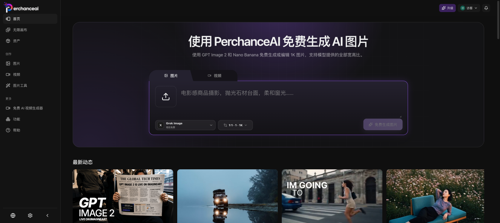
PerchanceAI is ai image creation, editing, product photos, and video.. <p>PerchanceAI is an AI creative studio combining image generation, editing, background removal, product photo workflows, local image utilities, and image-to-video tools for creators, marketers, ecommerce sellers, designers, and small teams.</p>. Best for AI and image generation users.
QuestStudio is create images, video, voice, and music in one ai studio. <p>QuestStudio turns an idea into finished creative assets without switching between disconnected AI tools. Start with guided planning or a no-card image preview, compare leading models, then refine images, video, voice, music, and characters in one production workspace.</p>. Best for AI image generation and AI video users.
Image-to-Prompt.org is turn any image into detailed, model-ready ai prompts.. <p>Image to Prompt analyzes an image's subject, environment, composition, lighting, color, camera, materials, style, and mood, then generates a General Prompt plus model-optimized prompts for Midjourney, Stable Diffusion, FLUX, ChatGPT Image, and Nano Banana. The core tool is free to try without signing up, supports file and image URL input, and helps creators recreate visual ideas across different image-generation platforms.</p>. Best for AI and image to prompt users.
Vorapix is all-in-one ai image and video generator. <p>Vorapix puts text to video, image to video, and text to image in one workspace, so you stop paying for and switching between four separate AI tools. Fourteen model families are switchable inside the same generator — Kling 3.0 for motion and camera paths, Seedance for multi-shot sequences, Grok Imagine for style-led stills and redraws — and they all draw from a single shared credit balance. Generate clips at 4, 5, or 10 seconds in 480p through 4K, or still images up to 4K. Lip sync matches a voice track to your footage, and photo enhancement plus watermark removal clean up source material before you animate it. Draft history saves every generation with its preset settings, so a rerun is one click instead of a rebuild. Solo brand builders, storefront media desks, client studios, freelancers, and course creators use it to produce launch clips, product loops, and social cutdowns without an editor. Sign up free for 10 credits and try any model before paying. Try it at <a target="_blank" rel="noopener noreferrer nofollow" href="https://vorapix.ai">vorapix.ai</a></p>. Best for AI Video Generator and AI Image Generator users.
SdanceAI is create short-form video with seedance 2.5. <p>SdanceAI is a browser-based Seedance 2.5 AI video generator and API service for creators, marketers, developers, and production teams. Turn text prompts or reference images into short-form videos, adjust aspect ratio, duration, and resolution, track generation tasks, and download completed MP4 files. Developers can create API keys, submit generation tasks, monitor status, and manage credit usage. Use cases include social media clips, advertisements, product launches, explainers, visual storytelling, and rapid creative testing. SdanceAI offers a freemium, credit-based model with starter pricing from $9.90 and is an independent third-party product.</p>. Best for Seedance 2.5 AI and video generation users.
Image to Video AI Generator is turn any photo into a dynamic video with free image to video. <p>Turn any photo into a dynamic video with free Image to Video AI. Add cinematic motion, camera moves & effects in seconds — no editing skills needed, try free!</p>. Best for free and image users.
OnVid is free ai video generator for text-to-video and image-to-video creation. <p>OnVid is a free AI video generator that helps you create videos from text prompts and images in seconds. With powerful text-to-video and image-to-video tools, anyone can turn ideas into engaging content without advanced editing skills or expensive software. Use OnVid AI to generate social media videos, YouTube content, marketing ads, product demos, short films, promotional clips, and creative visual stories.<br><br>The platform is designed for creators, marketers, small businesses, educators, and anyone who wants to make professional AI videos faster. Simply describe your idea, upload an image if needed, and let the AI video maker transform it into a polished video. OnVid makes video creation simple, fast, and accessible for beginners and professionals.<br><br>Whether you need an AI video generator for social media, advertising, storytelling, or business content, OnVid AI offers an easy way to create unique videos online. Start generating videos from text and images with OnVid today.</p>. Best for AI Video Generator and Free AI Video Generator users.
Forge GUI is create polished roblox thumbnails and gui assets with ai.. <p>Forge GUI (ForgeGUI) is an AI-powered Roblox thumbnail maker and GUI generator for game creators. Turn text prompts or reference images into polished game thumbnails, UIs, GUIs, HUDs, menus, panels, buttons, and icons. Choose ready-made Roblox, Minecraft, Unity, or Fortnite-style presets, refine results with connected edits, then save and download the finished image. Built for Roblox developers, Minecraft creators, indie game teams, and solo creators. Start with a 7-day free trial.</p>. Best for Roblox and AI Thumbnail Maker users.
ImageChanger is edit images online with our free ai image changer. change ba. <p>Edit images online with our free AI image changer. Change backgrounds, remove objects, restyle photos, and try one free image without signing up.</p>. Best for free and image users.
PixPunk is free background remover, image resizer, pdf merger, audio to. <p>Free background remover, image resizer, PDF merger, audio to text and more. No sign up, no watermark, no subscription. Most of the tools never upload your file.</p>. Best for pixpunk and free users.
Flower Wand Garden is use one fingertip to plant flowers in your camera, then save. <p><a target="_blank" rel="noopener noreferrer nofollow" href="https://flowerwandgarden.com/"><strong>Flower wand garden</strong></a> is a free browser camera toy powered by real-time hand tracking. It uses MediaPipe hand landmark detection to locate twenty-one points on your hand and follow the exact tip of your index finger. When you hold your fingertip steady inside a small progress ring, flower wand garden plants a bloom — then keeps adding flowers as long as you stay close.</p><p>The experience runs entirely inside your browser. There is no app download, no sign-in, and no subscription. Camera processing happens locally on your device, so your video stream is never uploaded to any server. The result is a lightweight, privacy-first creative toy that anyone can open and enjoy in seconds.</p><blockquote><p><strong>In short:</strong> flower wand garden = live camera + hand tracking + original flower art + one simple gesture.</p></blockquote><p><em>Flower wand garden is a free browser experience. Camera processing happens on your device. Nothing is uploaded during play.</em></p>. Best for flower and wand users.
Orbia AI is free ai image prompt gallery. <p>Orbia AI is a free curated gallery of AI image prompts for marketers, designers, and content creators. Browse AI-generated images across 40+ categories — marketing ads, real estate, fashion, food, healthcare — then copy the exact prompt and use it in Midjourney, DALL-E, or any AI tool instantly.</p>. Best for ai and saas users.
Flux 3 AI is instant flux 3 image creation. <p>Seedance 2.5 AI, available at <a target="_blank" rel="noopener noreferrer nofollow" href="http://seedance25ai.net">seedance25ai.net</a>, is a cutting-edge AI video generation platform designed for creators who demand speed, flexibility, and cinematic quality. Built around advanced ByteDance-style video model workflows, Seedance 2.5 transforms text prompts, images, and creative concepts into dynamic, lifelike video sequences with remarkable temporal coherence and visual detail. The platform excels at handling complex motion, camera angles, and scene transitions, making it ideal for storytellers, marketers, and independent filmmakers who need to produce high-impact content without a full production crew. With Seedance 2.5, users can experiment with multiple style presets, control character movement, adjust pacing, and refine visual aesthetics through an intuitive interface that balances professional-grade control with accessibility.</p>. Best for Flux 3 AI and Flux 3 users.
Qwen Image 3.0 Visual Studio is ai image generation for visual concept workflows. <p><a target="_blank" rel="noopener noreferrer nofollow" href="https://qwenimage3.app/">Qwen Image 3.0</a> is a browser-based AI image generation and editing tool for creators, designers, marketers, and product teams.</p><p>According to the product page, it supports text-led image creation and visual editing workflows that can help teams explore campaign directions, launch assets, and creative concepts before final review.</p>. Best for qwen image 3.0 and ai image users.