




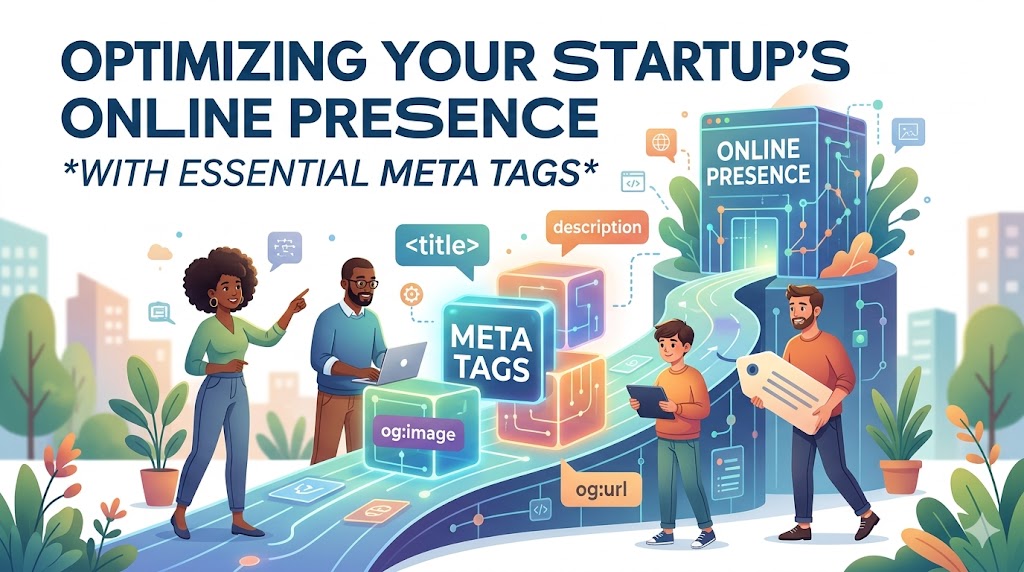
As a founder wearing multiple hats, your time is your most valuable asset. Meta tags for startup SEO are a high-impact, low-effort way to get started. They are crucial code snippets that tell search engines what your page is about, directly influencing your search engine visibility, click-through rates, and ability to attract the right audience from day one.
This guide walks you through the most important tags—from the foundational title and description to advanced schema and social tags—giving you a prioritized playbook for implementation. By optimizing these HTML elements, startups can punch above their weight in competitive search engine results pages (SERPs) without a massive budget. They are a foundational element of on-page SEO that allows a new venture to clearly communicate its value to both search engine crawlers and potential customers.
The Core Four: Essential Meta Tags Every Startup Page Needs
This section breaks down the foundational tags that form the backbone of your on-page SEO efforts. These elements impact everything from ranking signals to user engagement in the SERP. Mastering them is a non-negotiable first step toward earning organic traffic.
Title Tag: Your Digital First Impression
A title tag is an HTML element that defines the title of your web page. It is displayed in the browser tab, on social media when a page is shared, and most importantly, as the clickable headline in search results.
The title tag is a primary ranking signal used by search engines like Google to understand the topic of a page. A compelling title convinces users that your page has the best answer to their query, making it your digital first impression and one of the most critical elements for improving your Click-Through Rate (CTR).
For maximum effectiveness, follow these best practices:
- Length: Keep title tags between 50-60 characters. Longer titles will be truncated in search results, hiding important information.
- Keyword Placement: Include your primary keyword as close to the beginning of the title as possible.
- Value Communication: The title must clearly communicate the page's value proposition. For a startup, this means highlighting a key benefit or solving a specific problem.
- Branding: Include your brand name at the end of the title, separated by a pipe (|) or hyphen (-), to build brand recognition.
Example Transformation:
- Before:
Project Management Software | SaaSBrand - After:
Agile PM Tool for Remote Dev Teams | SaaSBrand
Meta Description: The Art of the SERP Pitch
The meta description is an HTML attribute that provides a brief summary of a page's content. This description appears below the title tag in search results, acting as a short sales pitch to entice users to click.
While Google has stated that the meta description is not a direct ranking factor, it has a massive influence on user clicks. A well-written description aligns with user intent and helps your listing stand out from competitors. It's your opportunity to explain why your result is the best choice.
If you omit a meta description, search engines will generate one from your page's content. It's also important to note that even with a well-written description, Google may choose to generate its own snippet if its AI determines a different piece of text from your page better matches a specific user's query. However, providing a strong meta description is still a critical best practice, as it serves as the default and heavily influences what Google might show.
To write effective seo meta descriptions, follow these best practices:
- Length: Aim for a length of 150-160 characters to avoid truncation on desktop and mobile SERPs.
- Active Voice: Use an active voice and compelling language to engage the reader directly.
- Call-to-Action (CTA): Include a clear call-to-action, such as "Learn more," "Start a free trial," or "See plans."
- Keyword Usage: Incorporate your primary keyword naturally. Search engines often bold matching keywords in the description, which increases visibility.
Example Transformation:
- Before:
SaaSBrand has project management software for teams. See our features and sign up for an account today. - After:
Stop missing deadlines. SaaSBrand's PM tool integrates with Slack & GitHub to keep your remote team on track. Start your free trial today.

Robots Meta Tag: Directing Search Engine Traffic
The robots meta tag is an HTML snippet that gives instructions to search engine crawlers (Googlebot, Bingbot, etc.) on how to crawl and index a specific page. It is essential for managing your startup's website hygiene.
This tag is placed in the <head> section of a page and uses specific directives to control crawler behavior. The most common directives are:
index: Tells search engines they are allowed to show this page in their search results (this is the default).noindex: Instructs search engines not to include this page in their index. This is critical for preventing thin content, private pages (like user dashboards), or internal search results from appearing in public SERPs.follow: Allows crawlers to follow the links on the page to discover other pages (this is the default).nofollow: Instructs crawlers not to follow any links on the page.
A common startup mistake is leaving a development or staging site indexable. Use <meta name="robots" content="noindex, nofollow"> across your entire staging environment to prevent it from being indexed. A practical use case on a live site is using <meta name="robots" content="noindex, follow"> on a "thank you" page after a user signs up. You don't want the thank you page in search results, but you want Google to follow any links from it.
Viewport Tag: Nailing the Mobile Experience
The viewport meta tag is an HTML tag that controls how a webpage is displayed on mobile devices. It sets the width of the page to match the screen-width of the device, ensuring your content scales correctly.
The standard, non-negotiable implementation is:<meta name="viewport" content="width=device-width, initial-scale=1.0">
This tag is a critical component for mobile-first indexing. Since Google primarily uses the mobile version of a site for ranking, a missing or incorrectly configured viewport tag can severely harm your mobile rankings and create a poor user experience, leading to high bounce rates. For any startup, a proper viewport tag is an absolute necessity.
Beyond the Basics: Advanced Meta Tags for Competitive Advantage
Once the fundamentals are in place, these advanced tags help manage complex site structures, enhance social sharing, and prepare your startup for international growth. They signal a higher level of SEO maturity.

Canonical Tag: Preventing Duplicate Content Confusion
The canonical tag (rel="canonical") is an HTML link tag that tells search engines the "master" or preferred version of a page when similar or identical content exists across multiple URLs.
Duplicate content can arise from URL parameters for tracking (?utm_source=...), having separate print-friendly pages, or content syndication. When search engines encounter duplicate content, it dilutes your ranking signals because they don't know which version to index. A canonical tag solves this by consolidating ranking signals to a single, authoritative URL. For a startup blog, if you syndicate a post to Medium, you should ensure the Medium version has a canonical tag pointing back to the original article on your site. This ensures your domain gets the SEO credit.
Open Graph Tags & Twitter Cards: Winning the Social Share
Open Graph tags (for Facebook, LinkedIn) and Twitter Cards are meta tags that control how your content previews appear when shared on social media.
While not a direct SEO ranking factor, these tags are crucial for your startup's marketing. A compelling social media preview with a high-quality image, a strong title, and a clear description can significantly improve click-through rates from social channels and enhance brand presentation.
Key tags to implement on all shareable pages include:
og:title: The title of your content.og:description: A one-to-two-sentence description.og:image: The URL of a high-quality preview image (ideally 1200x630 pixels).og:url: The canonical URL of the page.twitter:card: The type of card (e.g.,summary_large_image).
Hreflang Tag: Scaling for Global Audiences
The hreflang tag is an HTML attribute used to specify the language and geographical targeting of a webpage. It is critical for startups with immediate plans for a multilingual or multinational website.
If you have different versions of a page for different languages, the hreflang tag helps search engines serve the correct version to the right user. For example, it tells Google that a user searching from Germany should see the German version of your homepage, not the English one.
An hreflang tag looks like this:<link rel="alternate" hreflang="de-DE" href="https://example.com/de/"/>
Proper implementation prevents duplicate content issues across different language versions and improves the user experience, which can positively impact your SEO performance in global markets.
Supercharging Your SERP Appearance with Structured Data
Structured data, often implemented using Schema.org vocabulary, is a form of metadata you add to your site’s HTML. It helps search engines better understand your content and display it in more engaging ways in the SERP, known as rich snippets.
What is Schema Markup and Why Should Startups Care?
Schema markup is a standardized vocabulary of tags that translates your human-readable content into a machine-readable format that search engines can easily parse.
For startups, this is a powerful tool for gaining a competitive edge. By implementing schema, you can enable rich snippets for startups, which are visually enhanced search results that can include ratings, prices, and FAQ dropdowns. Rich snippets stand out on the SERP, which can significantly increase CTR without needing to improve your ranking position. They make your new, unknown brand appear more credible and informative.
Key Schema Markup Types for Startups
- Organization Schema: This reinforces your brand as an entity to Google. Specify your official company name, logo, contact info, and social profiles. This helps Google populate your brand's Knowledge Panel and establishes authority.
- FAQ Schema: Use this on pages with a list of frequently asked questions. It can create an interactive dropdown of your Q&As directly in the search results, taking up more SERP real estate and answering user questions immediately.
- Product Schema: Essential for e-commerce or product-led startups, this schema displays price, availability, and review ratings (
aggregateRating) in the SERP, pre-qualifying clicks. - SoftwareApp Schema: Perfect for SaaS startups, this markup highlights details like the app's average rating, price, and operating system requirements (
operatingSystem), making your product more discoverable.
A Startup's Playbook for Meta Tag Optimization
This section provides a practical, step-by-step approach to implementing and managing your meta tags for maximum impact on your startup's SEO.
Meta Tag Quick Reference for Startups
Use this table as a quick reference guide for optimizing the most critical meta tags across your startup's website.
| Tag Type | Primary Function | Startup Best Practice Formula/Rule |
|---|---|---|
| Title Tag | SERP Headline & Ranking Signal | `Primary Keyword - Key Benefit |
| Meta Description | SERP Pitch to Drive Clicks | Address user need + add unique value + include CTA. (150-160 chars) |
| Canonical Tag | Specify Master URL | Use on every indexable page, pointing to itself or the master version. |
| Open Graph | Social Media Appearance | Set og:title, og:description, & og:image on all shareable pages. |
| Schema Markup | Enable Rich Snippets | Implement Organization site-wide; add relevant types (FAQ, Product) to key pages. |
Essential Tools for Auditing and Managing Meta Tags
Manually checking every meta tag is inefficient. Startups can leverage several tools to streamline the process of auditing, generating, and testing their on-page SEO elements.
All-in-One SEO Platforms
Tools like Ahrefs, Semrush, or Moz offer site audit features that crawl your entire website and flag issues like missing title tags, short or long meta descriptions, duplicate content, and missing structured data. These platforms are invaluable for getting a comprehensive overview of your on-page health.
SEO Plugins for Your CMS
If your startup's website runs on WordPress, plugins like Yoast SEO or Rank Math are non-negotiable. They provide simple input fields on every page and post for writing titles and descriptions, offer real-time feedback on length and keyword usage, and simplify the implementation of schema markup and Open Graph tags.
Browser Extensions and Free Tools
For quick checks and generation, several free options are available:
- SEO Browser Extensions: Free extensions for Chrome or Firefox allow you to see the core on-page SEO data (including all meta tags and schema) of any page you visit.
- Schema Markup Generators: Tools like Merkle's Schema Markup Generator provide a user-friendly interface to create JSON-LD for various schema types without writing code by hand.
- Social Sharing Validators: Use the official Facebook Sharing Debugger and Twitter Card Validator to preview and troubleshoot how your URLs appear when shared on social media.
Example: SaaS Startup Meta Tag Transformation
- The Challenge: A B2B SaaS startup specializing in project management had several blog posts ranking on the second page of Google. Their title tags were generic (e.g., "Project Management Tool") and they had no custom meta descriptions, resulting in a very low click-through rate.
- The Solution: They initiated a project focused on title tag optimization and meta description copywriting. "Project Management Tool" became "The Agile PM Tool for Remote Dev Teams | SaaSBrand". They crafted new meta descriptions that highlighted key benefits and included a strong call-to-action like, "Stop missing deadlines. Our tool integrates with Slack & GitHub to keep your remote team on track. Start your free trial today." Finally, they implemented FAQ schema on their top-performing posts.
- The Results: Within two months, the startup achieved a significant increase in CTR for their targeted keywords. This surge in engagement sent positive signals to Google, helping push their rankings onto the first page. The higher-quality traffic led to a measurable boost in qualified demo requests, demonstrating a direct link between meta tag optimization and business growth.
Frequently Asked Questions (FAQ)
What's the difference between a meta tag and a title tag?
A title tag is a required HTML element (<title>) that defines the page's title for browser tabs and search results. It is a direct ranking factor. Meta tags (<meta>) are elements that provide additional metadata about the page, such as the meta description. While the title tag is technically not a meta tag, it serves a similar function and is always discussed alongside them in the context of on-page SEO.
Are meta keywords still relevant for SEO?
No, the meta keywords tag is obsolete. Major search engines like Google have not used it as a ranking signal for over a decade due to widespread abuse ("keyword stuffing"). Your effort is far better spent on optimizing the title tag, meta description, and implementing structured data.
What happens if I don't add a meta description?
If a meta description is missing, search engines will automatically generate one by pulling text from the page's content. This auto-generated snippet is often fragmented, out of context, and not as compelling as a handcrafted description. You forfeit a crucial opportunity to pitch your content to users in the search results.
Can bad meta tags hurt my SEO?
Yes, poorly optimized meta tags can hurt your SEO. Misleading title tags can lead to low CTR and high bounce rates, which are negative user engagement signals. An incorrect robots tag is even more dangerous. Accidentally adding a **noindex** tag to an important page—or worse, a site-wide setting in your CMS—can remove it from search results entirely, a catastrophic and surprisingly common mistake for startups.
The Bottom Line: Meta Tags as a Foundation for Startup Growth
For startups, meta tags are not just a technical SEO checkbox; they are a foundational marketing tool. The SERP is your first battlefield, and your meta tags are your first chance to convince a potential customer that your solution is the best answer to their problem.
Here’s a quick summary of your meta tag priorities:
- Start with the Core Four: Perfect your Title Tag, Meta Description, Robots Tag, and Viewport Tag on every page.
- Enhance with Schema and Social Tags: Implement Organization schema site-wide and use Open Graph tags to control your brand's appearance on social media.
- Use Tools to Be Efficient: Leverage SEO plugins and free validators to audit and manage your tags without manual effort.
- Focus on CTR: Your title and description are your SERP advertisement. Write them to earn the click.
Mastering title tags, compelling seo meta descriptions, and advanced features like structured data gives your startup the leverage it needs to build search engine visibility, drive targeted traffic, and accelerate growth. Perfecting these on-page elements is the critical first step to earning trust with search engines and your first potential users.
