







PromptToVisual is compare ai image models and create visuals. Best for AI image generator and AI image editor users.
Upvote this product

Advertise (10/14 spots left)
101aitools launched on What Launched Today on September 18, 2026. Ranked #5 of 17 launches on September 18, 2026. One of 3 ai tools products launched that week. Community upvotes: 1. Curated directory of 458 AI tools with categories, free/free
Other startups launched in the last 24 hours.
PromptToVisual is compare ai image models and create visuals. Best for AI image generator and AI image editor users.
GiftableSong is turn personal memories into a song gift. Best for personalized song and song gift users.
AIToolFinder is free ai generators and creative tools. Best for ai generator and name generator users.
Bartek Rutkowski Photography is fine art architecture pictures, street photos and portraits. Best for bartek and rutkowski users.
Image3D is turn images into 3d models with ai. Best for ai and 3d users.
PromptZone is join promptzone, the premier ai community for prompt enginee. Best for promptzone and prompts users.
MUTOWA is mutowa is building the network for the quantum era through e. Best for mutowa and network users.
DevLifeCheck is evidence-backed device support dates, security timelines, re. Best for devlifecheck and device users.
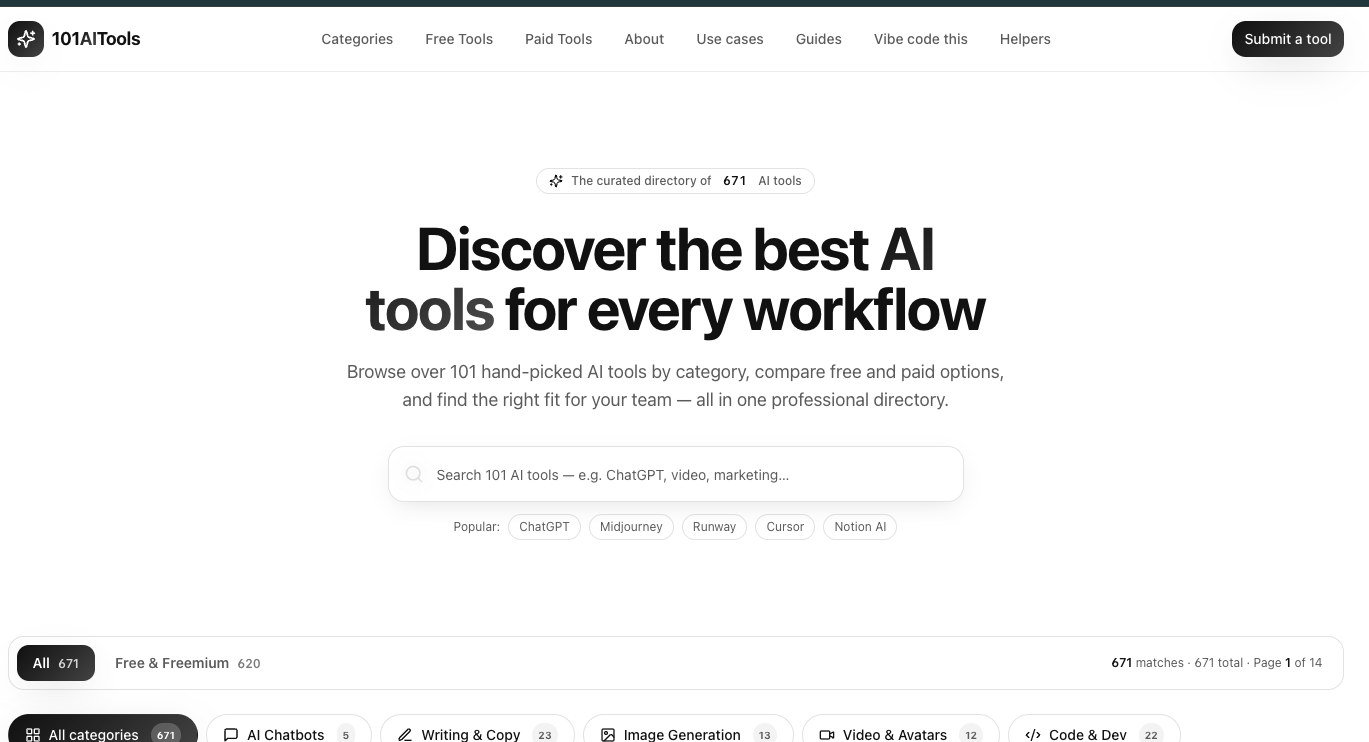
Curated directory of 458 AI tools with categories, free/free
101 AI Tools is a professional, curated directory of 458 AI tools that lets users browse, filter, and compare tools across 12 categories and 28+ workflow shortlists. It is designed for professionals, founders, and teams looking to add AI products to their stack without sifting through scattered lists.
What is 101 AI Tools?101 AI Tools is a web-based directory that indexes AI tools for chatbots, writing, image generation, video, code development, voice, music, marketing, productivity, design, education, and research. Each listing includes a description, a pricing model (free, freemium, or paid), and a details page. The site aggregates 458 tools and offers filtering by category and free/freemium status.
Key FeaturesLarge curated database — 458 tools across 12 categories, from AI chatbots to research and search, with each entry vetted and described.
Free & freemium filter — 435 tools are marked free or freemium, making it easy to find no-cost options for pilots and small teams.
Workflow shortlists — "Best AI tools for..." pages cover 28+ tasks including coding assistants, content marketing, automation, AI agents, branding, advertising, research, social media, and more.
Role-based directories — "AI tools for..." pages organize tools by 14 roles: marketers, founders, developers, writers, video creators, consultants, agencies, product managers, students, designers, ecommerce brands, podcasters, sales teams, and teachers.
Tool submission — Developers and companies can submit their own AI tool for listing, with partner opportunities available via email.
Detailed listings — Each tool page includes a summary, pricing model, and a "Details" link to the official site.
Marketers and content teams — find tools for SEO writing, ad creative, social media, email campaigns, and analytics via marketing-specific shortlists.
Developers and engineers — locate AI coding assistants (e.g., GitHub Copilot, Replit) and code review tools in the Code & Dev category.
Founders and startup teams — compare free/freemium tools for automation, CRM, sales outreach, and personal productivity before purchasing.
Creators and designers — explore image generation, video, audio, and avatar tools in dedicated categories and role-based pages for video creators and designers.
Discover tools by task: browse shortlists like "best AI tools for coding assistants" or "best AI tools for social media" to see curated, comparable options.
Filter by pricing: toggle to "Free & Freemium" to see all 435 tools that don't require a paid plan upfront.
Explore a specific niche: use category pages (e.g., Image Generation, Voice & Audio, Marketing & Sales) to compare multiple tools side by side.
Get your tool listed: submit your own AI product via the "Submit a tool" page to reach thousands of professionals, or email for partnership opportunities.
Users simply visit the site, browse or search for a tool, and apply filters for category, pricing, or job role. Each tool listing gives a quick description and a "Details" link that takes you to the tool's own page. The directory also generates curated shortlists for specific tasks and roles, so you can jump straight to a vetted set of options without manual research.
12/100






Leave a review