Discover 95 developer tools product launches on What Launched Today — a curated feed of new startups, SaaS tools, and indie projects in Developer Tools. Unlike a static software list, every entry links to a full launch page with screenshots, founder details, community reviews, and launch-day performance data. Use this page to spot emerging developer tools tools before they hit mainstream directories.
CryptoDataAPI is hyperliquid whales, gex, regimes and mcp for ai trading agen. Crypto market data API for AI agents and quants. Unique Pro layer: Hyperliquid whale positioning (directional_net_usd), dealer GEX, market regimes, ETF flows, and MCP. Agents can pay with x402 USDC or a key. Built for agents that need more than candles. Best for AI and Machine Learning and Developer Tools users.
RelayPDF is html/markdown/url/office → pdf api for developers and agents. Production PDF API for developers and coding agents. Convert HTML, Markdown, URLs, Office docs, and templates to PDFs via REST, SDKs, and hosted MCP — no print engine on your deploy. Best for SaaS and Business and Developer Tools users.
NoCodeExport is turn any no-code site into clean html, css and javascript. The no code export tool — turn any Webflow, Wix, Squarespace, WordPress or Framer site into clean HTML, CSS & JS. Download a self-hostable ZIP in minutes. Best for Developer Tools and No-Code Tools users.
sponsored/tokens is free ai inference paid by sponsors. A public pool of free AI tokens for coding agents. Sponsors pay into the pool, developers use it for free, and every session shows who paid. Best for AI and Machine Learning and Developer Tools users.
Sooauth is decoupled, open-source auth without database pollution. Authentication shouldn't break your database schema or lock your users into proprietary closed clouds.Modern libraries like Better Auth and NextAuth force user, session, and verification tables directly into your application database using ORM adapters. When AI coding agents (Cursor, Claude Code) refactor models, they frequently break schema migrations.Sooauth completely decouples identity:• Zero Database Pollution: Your app database stays 100% clean. Your app simply validates standard OIDC JWT tokens.• Vibecoder & AI-Ready: Just paste 3 environment variables (ISSUER, CLIENT_ID, REDIRECT_URI) into your AI prompt. No hallucinations, no broken migration scripts.• Hosted UI & Embed Widget: Modern split-screen login pages or an embeddable JS widget for your custom app.• Biometric Passkeys & Social Logins: WebAuthn passkeys, Google, and GitHub login out-of-the-box.• 100% Free Public Beta + AGPL-3.0 Open Source: Free in the hosted cloud (auth.sooauth.com) with Pro features unlocked, or self-host with Docker. Best for Developer Tools users.
chat.cx is every ai chat you use, in one browser panel. chat.cx is an AI chat workspace for Chrome: every AI chat you use, side by side in one panel, plus a real chat client for your own models.All your chats in one placeChatGPT, Claude, Grok, DeepSeek, Kimi, and 30+ more chatbots in a single sidebar. Unified chat history with search and filters, bookmarks with folders, split view to compare answers in a resizable grid, and Broadcast to send one prompt to every chat on screen.Ask about the page you're onInsert the page's readable text or your selection into the open chat. Capture the visible page or drag out an area and attach the screenshot. Right-click any selection and choose Ask AI. One-tap prompts like Summarize and Explain, fully editable.Part of the browserSix surfaces: side panel, toolbar popup, full-page tab, new window, app window, or an always-on-top floating window. Tabs stay loaded while you switch, a progress bar shows when a chat finishes writing, and a slim launcher pill on any web page unfolds into your open chats with a composer beside it.Bring your own modelsConnect any OpenAI-compatible endpoint, in the cloud or on your own machine, with no proxy in between. Full per-API setup, persistent threads, markdown and code highlighting, math, a live reasoning view, voice in and out, file attachments, and built-in tools your models can call: web search, web fetch, image generation, datetime, and MCP servers. On-device AI works offline with no key at all.Private by designNo account. No proxy servers. Nothing collected. Keys stay in your browser and go only to the endpoint you configured.The real sites, not a wrapperchat.cx embeds the actual sites. Sign in once and the workspace opens them already signed in: same history, same models, same plan, and every new provider feature the day it ships.Browse the full catalog at https://chat.cxchat.cx is an independent browser extension and is not affiliated with, endorsed by, or sponsored by any of the AI providers named here. Best for AI and Machine Learning and Productivity Tools users.
InterviewPad is a shared pad for technical interviews. InterviewPad (interviewpad.ai) is your collaborative coding interview tool a live pad where interviewer and candidate work in the same editor with real code execution, backed by live transcription and AI-generated summaries and scorecards after the session. Best for AI and Machine Learning and HR and Recruitment users.
Toolstic is simple online tools for useful purposes. Toolstic provides a growing collection of useful online utilities for work, education, development, productivity, and everyday problem-solving. The platform focuses on making each tool straightforward, fast, and accessible on both desktop and mobile devices.Users can open a tool and begin working immediately without creating an account or navigating complicated interfaces. Toolstic’s utilities are free to use, and whenever technically possible, information is processed locally in the user’s browser to improve privacy.Toolstic is an independent, bootstrapped project created to make common digital tasks easier through focused tools that serve a clear and practical purpose. Best for SaaS and Business and Productivity Tools users.
Posty: magyar közösségimédia-ütemező is hungarian social media scheduler, built for ai agents too. Posty is a social media scheduler made in Hungary. You connect your accounts once, write a post once, and Posty publishes it to Facebook, Instagram, TikTok, LinkedIn, YouTube, X, Threads, Bluesky, Pinterest, Google Business, Discord, Telegram and Slack.What makes it different:Built for AI agents. Posty ships an MCP server, a REST API with an OpenAPI description, and a CLI (npm install -g posty-cli). Claude, ChatGPT or your own agent writes the post, Posty previews it with the account, the local publish time and the character count, and publishes only after you confirm.No built-in AI writer, on purpose. Bring your own model and let Posty do the publishing.Content calendar, media library, upload links for files on your phone, analytics per channel and per post, and customer groups for agencies that manage several brands.Hungarian interface and Hungarian support. Every plan starts with a 7-day free trial.Magyarul: a Posty egy magyar közösségimédia-ütemező vállalkozásoknak, alkotóknak és ügynökségeknek. Egyszer megírod a posztot, és 13 platformra egyszerre megy ki. Magyar felület, magyar ügyfélszolgálat, 7 napos ingyenes próba. Best for SaaS and Business and Marketing and Growth users.
Take.Skin is free cs2 skin database with real-time steam market prices. Free CS2 skin database with real-time Steam Market prices, case opening simulator with official drop rates, and pro player inventory tracker. Browse 1,000+ skins, compare float values, and track price history — no account required. Best for Gaming and Entertainment and Developer Tools users.
maratool is free browser-based tool. Free browser-based tools — JSON formatter, color picker, JWT decoder, medical calculators, PDF tools, and 220+ more. No sign-up, no uploads, runs locally. Best for Developer Tools and Web Apps users.
textbee.dev is turn your android phone into an sms gateway. Send and receive SMS from your own Android number. REST API, dashboard, n8n and Zapier, for developers, startups and small businesses. Free tier, open source. Best for AI and Machine Learning and Developer Tools users.
macadress is look up any mac address or oui to find its registered vendor. Look up any MAC address or OUI to find its registered vendor, IEEE assignment, block range, country and address type. Free web tool, no account required. Best for Developer Tools users.
UIRender is clone any website into nextjs using uirender. UIRender is the online website cloner that turns any website URL into clean, modular Next.js 15 & React code with Tailwind CSS v4, vector SVGs, and web fonts. Try 3 free clones. Best for Developer Tools and Web Apps users.
Watchgoose is cron jobs, backup and recurring task monitoring and alerting. Cron job monitoring that alerts you when a scheduled task, backup, queue, or script misses its heartbeat. Free to start - no credit card required. Best for Developer Tools users.
Online Therapy with Licensed Therapists is online therapy sessions with our expert psychologists, psych. Online therapy sessions with our expert psychologists, psychological tests and more. Best for Developer Tools users.
One API Key for All Top AI Models is access top ai models at a fraction of the cost. manage your. Access top AI models at a fraction of the cost. Manage your AI stack with one API key and optimize your token routing automatically. Best for AI and Machine Learning and Developer Tools users.
monolayer Autopilot is turn code into self-running software in your own cloud. Start from a prompt, an AI-generated application, or an existing repo. monolayer reads the application's intent, determines the compute, data, storage, service, and event relationships it needs, validates the proposed state, provisions the infrastructure, deploys the application, and keeps reading runtime feedback after launch.This replaces work that is normally spread across cloud setup, CI/CD, environment configuration, database provisioning, secrets, monitoring, scaling, recovery, and operational handoffs. Developers describe relationships and desired behavior instead of designing infrastructure by hand.Everything runs inside your AWS account, including the control plane. Application workloads, databases, storage, logs, infrastructure resources, CloudFormation stacks, and AWS billing remain under your ownership and control. There is no shared hosting model, hidden infrastructure markup, or platform tax on AWS usage. Best for AI and Machine Learning and Developer Tools users.
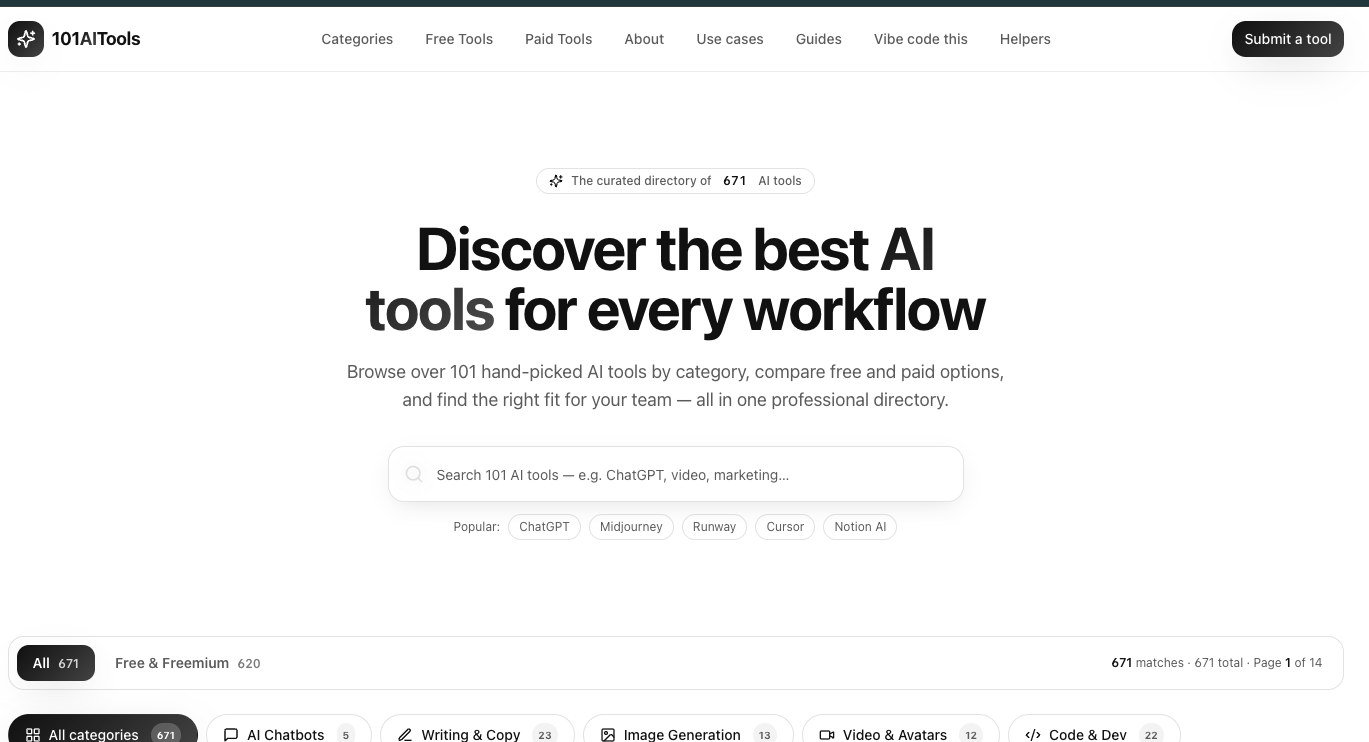
101aitools is curated directory of 458 ai tools with categories, free/free. Introduction101 AI Tools is a professional, curated directory of 458 AI tools that lets users browse, filter, and compare tools across 12 categories and 28+ workflow shortlists. It is designed for professionals, founders, and teams looking to add AI products to their stack without sifting through scattered lists.What is 101 AI Tools?101 AI Tools is a web-based directory that indexes AI tools for chatbots, writing, image generation, video, code development, voice, music, marketing, productivity, design, education, and research. Each listing includes a description, a pricing model (free, freemium, or paid), and a details page. The site aggregates 458 tools and offers filtering by category and free/freemium status.Key FeaturesLarge curated database — 458 tools across 12 categories, from AI chatbots to research and search, with each entry vetted and described.Free & freemium filter — 435 tools are marked free or freemium, making it easy to find no-cost options for pilots and small teams.Workflow shortlists — "Best AI tools for.." pages cover 28+ tasks including coding assistants, content marketing, automation, AI agents, branding, advertising, research, social media, and more.Role-based directories — "AI tools for.." pages organize tools by 14 roles: marketers, founders, developers, writers, video creators, consultants, agencies, product managers, students, designers, ecommerce brands, podcasters, sales teams, and teachers.Tool submission — Developers and companies can submit their own AI tool for listing, with partner opportunities available via email.Detailed listings — Each tool page includes a summary, pricing model, and a "Details" link to the official site.Who is it for?Marketers and content teams — find tools for SEO writing, ad creative, social media, email campaigns, and analytics via marketing-specific shortlists.Developers and engineers — locate AI coding assistants (e.g., GitHub Copilot, Replit) and code review tools in the Code & Dev category.Founders and startup teams — compare free/freemium tools for automation, CRM, sales outreach, and personal productivity before purchasing.Creators and designers — explore image generation, video, audio, and avatar tools in dedicated categories and role-based pages for video creators and designers.What can you do with 101 AI Tools?Discover tools by task: browse shortlists like "best AI tools for coding assistants" or "best AI tools for social media" to see curated, comparable options.Filter by pricing: toggle to "Free & Freemium" to see all 435 tools that don't require a paid plan upfront.Explore a specific niche: use category pages (e.g., Image Generation, Voice & Audio, Marketing & Sales) to compare multiple tools side by side.Get your tool listed: submit your own AI product via the "Submit a tool" page to reach thousands of professionals, or email for partnership opportunities.How does 101 AI Tools work?Users simply visit the site, browse or search for a tool, and apply filters for category, pricing, or job role. Each tool listing gives a quick description and a "Details" link that takes you to the tool's own page. The directory also generates curated shortlists for specific tasks and roles, so you can jump straight to a vetted set of options without manual research. Best for Developer Tools and Social and Community users.
Turn any PDF into a web page is stop sending files. give your pdf its own branded page, read. Stop sending files. Give your PDF its own branded page, ready to share in under a minute. Free to start. Best for Developer Tools and Web Apps users.
The list below shows Developer Tools launches from the past 12 months, sorted by launch date. Premium and highlighted launches are marked for visibility.
How is Developer Tools defined on What Launched Today?
Products are grouped by founder-submitted tags that match Developer Tools. You can also browse by related tags, our AI tools directory, or weekly launch roundups.
Can I submit a developer tools product?
Yes — founders submit through our dashboard. Approved launches get a dedicated page, community upvotes, and inclusion in category and archive listings.
Discover 95 developer tools product launches on What Launched Today — a curated feed of new startups, SaaS tools, and indie projects in Developer Tools. Unlike a static software list, every entry links to a full launch page with screenshots, founder details, community reviews, and launch-day performance data. Use this page to spot emerging developer tools tools before they hit mainstream directories.
CryptoDataAPI is hyperliquid whales, gex, regimes and mcp for ai trading agen. Crypto market data API for AI agents and quants. Unique Pro layer: Hyperliquid whale positioning (directional_net_usd), dealer GEX, market regimes, ETF flows, and MCP. Agents can pay with x402 USDC or a key. Built for agents that need more than candles. Best for AI and Machine Learning and Developer Tools users.
RelayPDF is html/markdown/url/office → pdf api for developers and agents. Production PDF API for developers and coding agents. Convert HTML, Markdown, URLs, Office docs, and templates to PDFs via REST, SDKs, and hosted MCP — no print engine on your deploy. Best for SaaS and Business and Developer Tools users.
NoCodeExport is turn any no-code site into clean html, css and javascript. The no code export tool — turn any Webflow, Wix, Squarespace, WordPress or Framer site into clean HTML, CSS & JS. Download a self-hostable ZIP in minutes. Best for Developer Tools and No-Code Tools users.
sponsored/tokens is free ai inference paid by sponsors. A public pool of free AI tokens for coding agents. Sponsors pay into the pool, developers use it for free, and every session shows who paid. Best for AI and Machine Learning and Developer Tools users.
Sooauth is decoupled, open-source auth without database pollution. Authentication shouldn't break your database schema or lock your users into proprietary closed clouds.Modern libraries like Better Auth and NextAuth force user, session, and verification tables directly into your application database using ORM adapters. When AI coding agents (Cursor, Claude Code) refactor models, they frequently break schema migrations.Sooauth completely decouples identity:• Zero Database Pollution: Your app database stays 100% clean. Your app simply validates standard OIDC JWT tokens.• Vibecoder & AI-Ready: Just paste 3 environment variables (ISSUER, CLIENT_ID, REDIRECT_URI) into your AI prompt. No hallucinations, no broken migration scripts.• Hosted UI & Embed Widget: Modern split-screen login pages or an embeddable JS widget for your custom app.• Biometric Passkeys & Social Logins: WebAuthn passkeys, Google, and GitHub login out-of-the-box.• 100% Free Public Beta + AGPL-3.0 Open Source: Free in the hosted cloud (auth.sooauth.com) with Pro features unlocked, or self-host with Docker. Best for Developer Tools users.
chat.cx is every ai chat you use, in one browser panel. chat.cx is an AI chat workspace for Chrome: every AI chat you use, side by side in one panel, plus a real chat client for your own models.All your chats in one placeChatGPT, Claude, Grok, DeepSeek, Kimi, and 30+ more chatbots in a single sidebar. Unified chat history with search and filters, bookmarks with folders, split view to compare answers in a resizable grid, and Broadcast to send one prompt to every chat on screen.Ask about the page you're onInsert the page's readable text or your selection into the open chat. Capture the visible page or drag out an area and attach the screenshot. Right-click any selection and choose Ask AI. One-tap prompts like Summarize and Explain, fully editable.Part of the browserSix surfaces: side panel, toolbar popup, full-page tab, new window, app window, or an always-on-top floating window. Tabs stay loaded while you switch, a progress bar shows when a chat finishes writing, and a slim launcher pill on any web page unfolds into your open chats with a composer beside it.Bring your own modelsConnect any OpenAI-compatible endpoint, in the cloud or on your own machine, with no proxy in between. Full per-API setup, persistent threads, markdown and code highlighting, math, a live reasoning view, voice in and out, file attachments, and built-in tools your models can call: web search, web fetch, image generation, datetime, and MCP servers. On-device AI works offline with no key at all.Private by designNo account. No proxy servers. Nothing collected. Keys stay in your browser and go only to the endpoint you configured.The real sites, not a wrapperchat.cx embeds the actual sites. Sign in once and the workspace opens them already signed in: same history, same models, same plan, and every new provider feature the day it ships.Browse the full catalog at https://chat.cxchat.cx is an independent browser extension and is not affiliated with, endorsed by, or sponsored by any of the AI providers named here. Best for AI and Machine Learning and Productivity Tools users.
InterviewPad is a shared pad for technical interviews. InterviewPad (interviewpad.ai) is your collaborative coding interview tool a live pad where interviewer and candidate work in the same editor with real code execution, backed by live transcription and AI-generated summaries and scorecards after the session. Best for AI and Machine Learning and HR and Recruitment users.
Toolstic is simple online tools for useful purposes. Toolstic provides a growing collection of useful online utilities for work, education, development, productivity, and everyday problem-solving. The platform focuses on making each tool straightforward, fast, and accessible on both desktop and mobile devices.Users can open a tool and begin working immediately without creating an account or navigating complicated interfaces. Toolstic’s utilities are free to use, and whenever technically possible, information is processed locally in the user’s browser to improve privacy.Toolstic is an independent, bootstrapped project created to make common digital tasks easier through focused tools that serve a clear and practical purpose. Best for SaaS and Business and Productivity Tools users.
Posty: magyar közösségimédia-ütemező is hungarian social media scheduler, built for ai agents too. Posty is a social media scheduler made in Hungary. You connect your accounts once, write a post once, and Posty publishes it to Facebook, Instagram, TikTok, LinkedIn, YouTube, X, Threads, Bluesky, Pinterest, Google Business, Discord, Telegram and Slack.What makes it different:Built for AI agents. Posty ships an MCP server, a REST API with an OpenAPI description, and a CLI (npm install -g posty-cli). Claude, ChatGPT or your own agent writes the post, Posty previews it with the account, the local publish time and the character count, and publishes only after you confirm.No built-in AI writer, on purpose. Bring your own model and let Posty do the publishing.Content calendar, media library, upload links for files on your phone, analytics per channel and per post, and customer groups for agencies that manage several brands.Hungarian interface and Hungarian support. Every plan starts with a 7-day free trial.Magyarul: a Posty egy magyar közösségimédia-ütemező vállalkozásoknak, alkotóknak és ügynökségeknek. Egyszer megírod a posztot, és 13 platformra egyszerre megy ki. Magyar felület, magyar ügyfélszolgálat, 7 napos ingyenes próba. Best for SaaS and Business and Marketing and Growth users.
Take.Skin is free cs2 skin database with real-time steam market prices. Free CS2 skin database with real-time Steam Market prices, case opening simulator with official drop rates, and pro player inventory tracker. Browse 1,000+ skins, compare float values, and track price history — no account required. Best for Gaming and Entertainment and Developer Tools users.
maratool is free browser-based tool. Free browser-based tools — JSON formatter, color picker, JWT decoder, medical calculators, PDF tools, and 220+ more. No sign-up, no uploads, runs locally. Best for Developer Tools and Web Apps users.
textbee.dev is turn your android phone into an sms gateway. Send and receive SMS from your own Android number. REST API, dashboard, n8n and Zapier, for developers, startups and small businesses. Free tier, open source. Best for AI and Machine Learning and Developer Tools users.
macadress is look up any mac address or oui to find its registered vendor. Look up any MAC address or OUI to find its registered vendor, IEEE assignment, block range, country and address type. Free web tool, no account required. Best for Developer Tools users.
UIRender is clone any website into nextjs using uirender. UIRender is the online website cloner that turns any website URL into clean, modular Next.js 15 & React code with Tailwind CSS v4, vector SVGs, and web fonts. Try 3 free clones. Best for Developer Tools and Web Apps users.
Watchgoose is cron jobs, backup and recurring task monitoring and alerting. Cron job monitoring that alerts you when a scheduled task, backup, queue, or script misses its heartbeat. Free to start - no credit card required. Best for Developer Tools users.
Online Therapy with Licensed Therapists is online therapy sessions with our expert psychologists, psych. Online therapy sessions with our expert psychologists, psychological tests and more. Best for Developer Tools users.
One API Key for All Top AI Models is access top ai models at a fraction of the cost. manage your. Access top AI models at a fraction of the cost. Manage your AI stack with one API key and optimize your token routing automatically. Best for AI and Machine Learning and Developer Tools users.
monolayer Autopilot is turn code into self-running software in your own cloud. Start from a prompt, an AI-generated application, or an existing repo. monolayer reads the application's intent, determines the compute, data, storage, service, and event relationships it needs, validates the proposed state, provisions the infrastructure, deploys the application, and keeps reading runtime feedback after launch.This replaces work that is normally spread across cloud setup, CI/CD, environment configuration, database provisioning, secrets, monitoring, scaling, recovery, and operational handoffs. Developers describe relationships and desired behavior instead of designing infrastructure by hand.Everything runs inside your AWS account, including the control plane. Application workloads, databases, storage, logs, infrastructure resources, CloudFormation stacks, and AWS billing remain under your ownership and control. There is no shared hosting model, hidden infrastructure markup, or platform tax on AWS usage. Best for AI and Machine Learning and Developer Tools users.
101aitools is curated directory of 458 ai tools with categories, free/free. Introduction101 AI Tools is a professional, curated directory of 458 AI tools that lets users browse, filter, and compare tools across 12 categories and 28+ workflow shortlists. It is designed for professionals, founders, and teams looking to add AI products to their stack without sifting through scattered lists.What is 101 AI Tools?101 AI Tools is a web-based directory that indexes AI tools for chatbots, writing, image generation, video, code development, voice, music, marketing, productivity, design, education, and research. Each listing includes a description, a pricing model (free, freemium, or paid), and a details page. The site aggregates 458 tools and offers filtering by category and free/freemium status.Key FeaturesLarge curated database — 458 tools across 12 categories, from AI chatbots to research and search, with each entry vetted and described.Free & freemium filter — 435 tools are marked free or freemium, making it easy to find no-cost options for pilots and small teams.Workflow shortlists — "Best AI tools for.." pages cover 28+ tasks including coding assistants, content marketing, automation, AI agents, branding, advertising, research, social media, and more.Role-based directories — "AI tools for.." pages organize tools by 14 roles: marketers, founders, developers, writers, video creators, consultants, agencies, product managers, students, designers, ecommerce brands, podcasters, sales teams, and teachers.Tool submission — Developers and companies can submit their own AI tool for listing, with partner opportunities available via email.Detailed listings — Each tool page includes a summary, pricing model, and a "Details" link to the official site.Who is it for?Marketers and content teams — find tools for SEO writing, ad creative, social media, email campaigns, and analytics via marketing-specific shortlists.Developers and engineers — locate AI coding assistants (e.g., GitHub Copilot, Replit) and code review tools in the Code & Dev category.Founders and startup teams — compare free/freemium tools for automation, CRM, sales outreach, and personal productivity before purchasing.Creators and designers — explore image generation, video, audio, and avatar tools in dedicated categories and role-based pages for video creators and designers.What can you do with 101 AI Tools?Discover tools by task: browse shortlists like "best AI tools for coding assistants" or "best AI tools for social media" to see curated, comparable options.Filter by pricing: toggle to "Free & Freemium" to see all 435 tools that don't require a paid plan upfront.Explore a specific niche: use category pages (e.g., Image Generation, Voice & Audio, Marketing & Sales) to compare multiple tools side by side.Get your tool listed: submit your own AI product via the "Submit a tool" page to reach thousands of professionals, or email for partnership opportunities.How does 101 AI Tools work?Users simply visit the site, browse or search for a tool, and apply filters for category, pricing, or job role. Each tool listing gives a quick description and a "Details" link that takes you to the tool's own page. The directory also generates curated shortlists for specific tasks and roles, so you can jump straight to a vetted set of options without manual research. Best for Developer Tools and Social and Community users.
Turn any PDF into a web page is stop sending files. give your pdf its own branded page, read. Stop sending files. Give your PDF its own branded page, ready to share in under a minute. Free to start. Best for Developer Tools and Web Apps users.
The list below shows Developer Tools launches from the past 12 months, sorted by launch date. Premium and highlighted launches are marked for visibility.
How is Developer Tools defined on What Launched Today?
Products are grouped by founder-submitted tags that match Developer Tools. You can also browse by related tags, our AI tools directory, or weekly launch roundups.
Can I submit a developer tools product?
Yes — founders submit through our dashboard. Approved launches get a dedicated page, community upvotes, and inclusion in category and archive listings.