





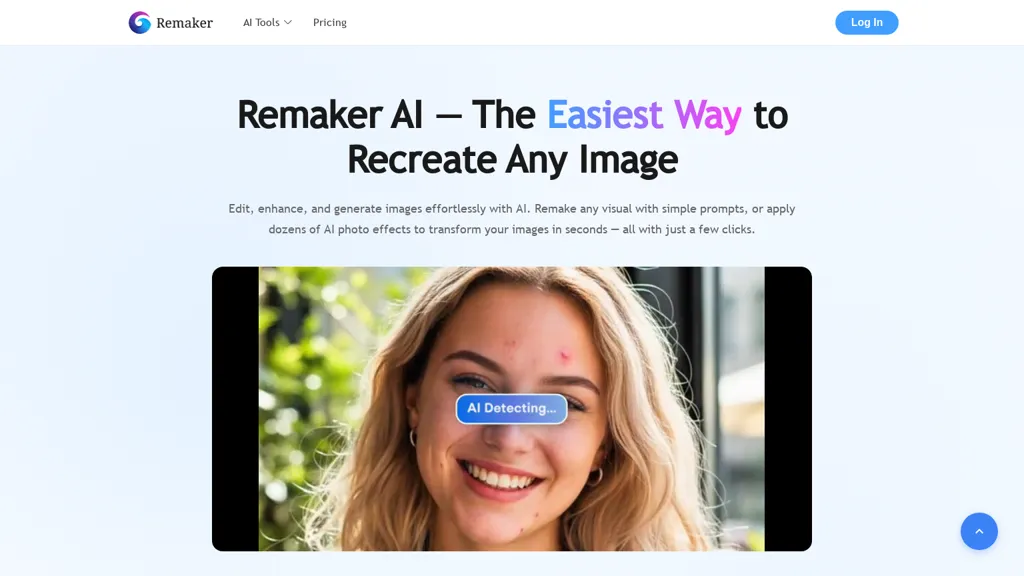
What is Remaker AI?
Remaker AI represents an artificial intelligence photo editing application. The platform processes image, video, and text inputs. The system outputs modified visual media. Remaker AI provides generative tools for rapid social content creation. The application supports multi-language capabilities across web and mobile interfaces.
Visual media manipulation requires significant processing power and conceptual understanding. The editing app remaker ai automates these complex workflows. Creators demand speed. Social media environments punish slow production cycles. By integrating machine learning algorithms directly into the user workflow, this platform removes traditional bottlenecks associated with manual graphic design. You drop a raw image into the system. The neural network analyzes the pixel data. It then applies the requested transformation—whether that involves stripping away a cluttered backdrop or upsampling a low-resolution graphic. Teams can execute these operations without maintaining expensive local hardware infrastructure.
What are the Core Image Functions of Remaker AI Tools?
Remaker AI tools execute specialized image manipulation operations. The software includes an image upscaler and background remover. The platform features a magic eraser utility. Remaker facilitates AI portrait generation and text-to-image synthesis. The system produces custom tattoo designs and logo graphics for commercial implementation.
How Does the Remaker Image Upscaler Work?
The remaker ai image upscaler increases digital graphic resolution. The algorithm performs advanced noise reduction during the upsampling process. The system receives low-quality visual inputs. The software outputs high-fidelity images. This artificial intelligence process reconstructs missing pixel data for superior visual clarity and professional presentation.
Low-resolution files plague digital workflows. Artifacts ruin otherwise perfect compositions. When a photographer captures an asset under poor lighting conditions, digital noise corrupts the file. The upscaler isolates these imperfections. It strips away the grain. Then, the mathematical models predict and insert new pixels to expand the dimensions of the file without stretching the existing visual data.
What is the Remaker AI Background Remover?
The AI remaker background remover isolates foreground subjects from their environments. The application detects edge boundaries automatically. The software deletes the surrounding visual context. The tool outputs transparent visual assets. This utility eliminates the necessity for manual clipping paths or green screen studio configurations.
Extracting a subject from a busy street scene historically required hours of tedious pen-tool manipulation. You had to zoom in. You had to trace every stray hair. Not anymore. The neural networks inside this platform recognize semantic objects—humans, cars, products—and separate them instantly. E-commerce vendors depend entirely on clean, white backgrounds for marketplace compliance.
How Does the Magic Eraser Function in Remakar AI?
The remakar ai magic eraser constitutes an object removal utility. The tool identifies unwanted elements within a composition. The system deletes the targeted visual data. The software fills the resulting void via content-aware generative processing. This function ensures continuous environmental textures without visible digital manipulation.
Sometimes a stray coffee cup ruins an executive portrait. Photobombers destroy vacation memories. Power lines intersect a perfect landscape composition. You select the offending element. The algorithm assesses the surrounding pixels, calculates the probable background texture, and generates a seamless replacement patch.
What are the Face Swap Capabilities of Remeker.ia?
The remeker.ia application executes facial geometry transposition operations. The algorithm detects facial landmarks on source images. The platform applies these distinct attributes onto target visual media. The software matches lighting, skin tone, and perspective data. This utility generates hyper-realistic synthetic media modifications for digital content strategies.
Identity manipulation requires immense precision. If the shadows do not match, the human eye immediately detects the forgery. The software analyzes the volumetric depth of the target head. It aligns the synthetic insertion with the existing environmental lighting. This creates seamless integration for specific entertainment or marketing purposes.
How Does Ramaker AI Handle Video Content Creation?
Ramaker AI provides comprehensive video generation capabilities. The application features a dedicated video enhancer module. The platform executes lip-sync operations and talking photo animations. The software removes moving backgrounds from short-form social video clips. The system utilizes specialized templates for rapid algorithmic media production.
Static images lack engagement compared to moving visuals. The modern social feed demands motion. YouTube Shorts, TikToks, and Instagram Reels require high-frequency publishing schedules. Building this content manually drains resources. You have to edit clips, sync audio, and render heavy files. By shifting these tasks to the cloud-based AI, individuals produce broadcast-quality clips instantly.
What is the Remaker Lip-Sync Video Maker?
The remaker lip-sync tool synchronizes audio tracks with visual mouth movements. The system maps phonetic sounds to corresponding facial geometries. The application alters the existing video subject. The software outputs a unified clip featuring precise speech articulation. This utility supports localized multi-language content creation workflows.
Audio and visual disparity instantly breaks viewer immersion. If the lips move half a second after the word hits the speaker, the audience scrolls away. This tool mathematically aligns the acoustic peaks of the provided audio file with the anatomical rendering of the subject's jaw and mouth structure.
How Do Talking Photos Work in AI Remaker?
The AI remaker talking photo feature animates static portrait assets. The platform ingests a single stationary image. The algorithm applies synthetic motion dynamics based on audio inputs. The software generates a dynamic video sequence. This function transforms traditional photography into highly engaging audio-visual social media assets.
You possess a fantastic headshot. You also possess an engaging audio script. Combining them previously required hiring an animator or re-recording the entire message on a soundstage. Now, the machine extrapolates the 3D geometry of the 2D face. It breathes synthetic life into the still pixels, making the eyes blink and the head tilt naturally.
What Video Templates Are Available in Remaker AI?
Remaker AI supplies pre-configured video templates for social networks. The platform includes specific formats for TikTok dimensions. The system houses templates optimized for YouTube Shorts. The software provides structural foundations for Reels. These pre-built assets accelerate platform-optimized short-form media publishing for digital marketing operations.
Every platform enforces strict aspect ratios. TikTok wants 9:16 vertical alignments. YouTube Shorts demands specific safe zones for text overlays. Memorizing these technical specifications wastes time. The templates automatically restrict the canvas to the correct mathematical dimensions. You just drop the assets into the designated zones.
What Are the Primary Use Cases for the Editing App Remaker AI?
The editing app remaker ai facilitates high-converting e-commerce product imagery generation. The platform accelerates short-form social video production sequences. The software automates professional headshot creation for corporate teams. The system manages batch processing workflows. These specific use cases maximize operational efficiency for commercial digital publishing.
Theory means nothing without practical application. Software must solve distinct business problems. The ecosystem built here targets the highest-friction areas of digital marketing. It removes the necessity for physical studios, expensive camera gear, and lengthy post-production cycles.
How Can E-Commerce Brands Utilize Remaker AI?
E-commerce operations utilize remaker ai for scalable product photography processing. The application executes batch background removals across multiple product images simultaneously. The software runs AI upscaling for marketplace compliance. The platform generates crisp, isolated product photos without requiring physical studio environments or manual graphic manipulation.
Selling physical goods online requires impeccable visual representation. A blurry product image destroys conversion rates instantly. Furthermore, leading marketplaces demand pure white backgrounds. Achieving this across an inventory of ten thousand SKUs traditionally requires an army of retouchers. The batch processing engine ingests the entire catalog, applies the background deletion protocol, upscales the resolution to meet strict marketplace pixel requirements, and exports the clean data block. The cost savings scale exponentially with inventory size.
How Do Social Media Teams Benefit from AI Remaker?
Social media teams leverage AI remaker to produce attention-grabbing video content. The software utilizes lip-sync tools and face-swap capabilities. The platform generates platform-optimized clips via pre-built templates. The application features one-click export functions. This workflow reduces necessary production time for multi-channel digital video distribution campaigns.
Attention represents the core currency of the digital economy. Securing that attention requires massive content volume. A social media manager cannot spend four hours editing a single thirty-second clip. The templates dictate the pacing. The text-to-image synthesis generates the B-roll assets instantly. The background removal isolates the host, allowing dynamic graphic insertions behind them. The entire pipeline happens within a singular browser window.
How Does Remaker Generate Professional Headshots?
Remaker generates professional headshots using artificial intelligence portrait algorithms. The system processes standard user photographs. The software applies background removal and object erasing techniques. The platform outputs consistent marketing portraits. This utility ensures unified corporate branding across team profiles without facilitating an on-site physical photoshoot.
Corporate identity demands uniformity. When half the executive team uses selfies from their cars and the other half uses ten-year-old studio shots, the company looks disorganized. Organizing a company-wide photoshoot across distributed remote teams is logistically impossible. Employees upload their basic photos. The neural network standardizes the lighting. It swaps the cluttered home-office background for a clean, branded color palette or simulated studio backdrop.
Who Should Use the Remaker Platform?
The remaker platform serves specific digital media professionals. The software provides utilities for dedicated content creators and social media managers. The application supports video editors and graphic designers. The system assists photographers and videographers. Marketing teams utilize the tool for efficient corporate content production cycles.
Here is a structured breakdown of the primary user demographics who benefit from this platform:
- Content Creators: Individuals who require high-velocity publishing for personal brands. They utilize the face swap and talking photo features to generate engaging narratives.
- Video Editors: Technical professionals looking to automate repetitive tasks. They deploy the video background removal tool to bypass tedious rotoscoping processes.
- Designers: Visual artists who need rapid prototyping. They use text-to-image synthesis to brainstorm concepts before manual execution.
- Photographers: Image capture specialists. They leverage the noise reduction and AI upscaling protocols to salvage underexposed or poorly framed shots.
- Videographers: Motion capture experts. They use the video enhancement modules to stabilize and clarify field footage.
- Marketing Teams: Corporate entities focused on brand output. They depend on batch processing to handle massive media libraries simultaneously.