






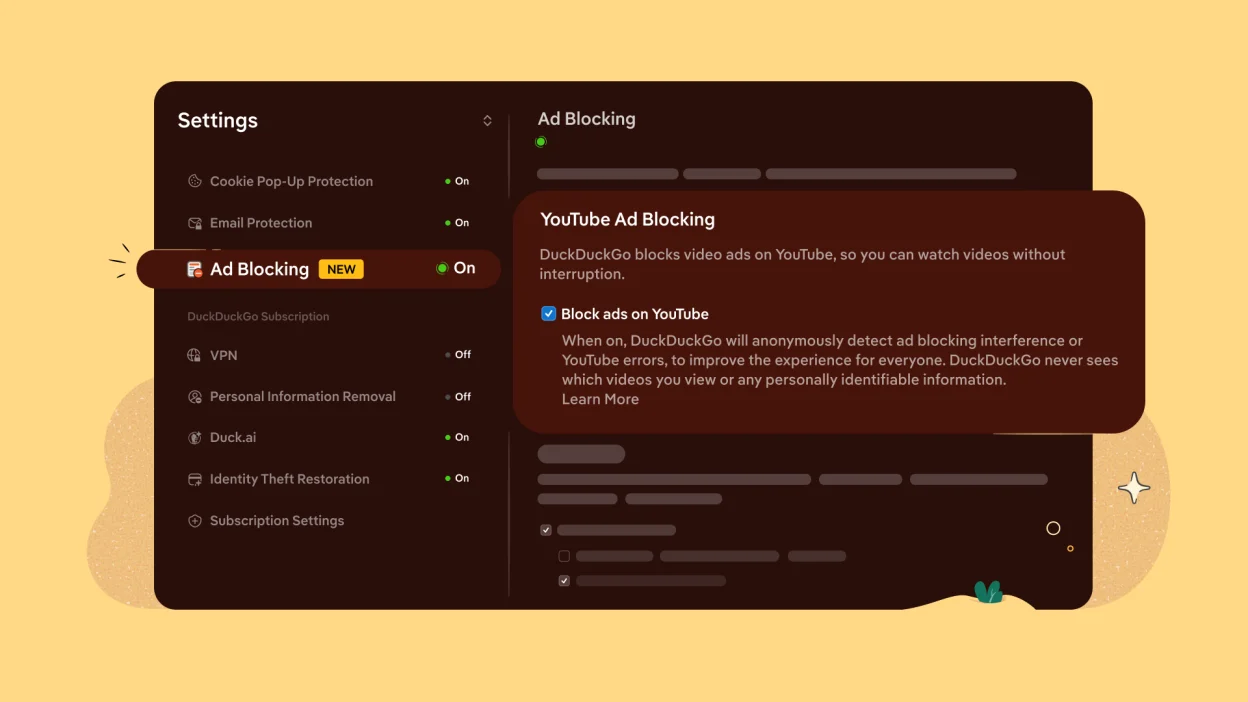
The digital privacy war just escalated dramatically. Internet consumers continuously battle against aggressive marketing tactics and unskippable commercial breaks. Google built an absolute monopoly on forced commercial media. They offer an official escape route through a paid YouTube Premium subscription. Most users refuse to pay that monthly fee. Now, an independent software firm provides a completely free alternative. The privacy-focused search engine DuckDuckGo updated its proprietary web browser to aggressively intercept and neutralize video advertisements. This maneuver strikes directly at Google’s primary revenue engine, offering frustrated consumers a seamless, interruption-free viewing experience.
What is the DuckDuckGo YouTube Ad Blocker?
The DuckDuckGo YouTube ad blocker represents a newly integrated browser feature designed to strictly eliminate intrusive pre-roll and mid-roll video advertisements. The software company automatically activates this protective utility across multiple desktop and mobile operating systems to prevent commercial interruptions.
Internet users face an absolute barrage of marketing material. You click a video hyperlink. A thirty-second unskippable commercial blasts through your speakers. You wait. Another promotional segment plays immediately after. YouTube relies entirely on this aggressive monetization model to generate corporate profits. To escape it legally, you historically needed an expensive premium account. DuckDuckGo dismantled that requirement overnight. They constructed a native solution directly inside their proprietary web application. You do not need confusing third-party extensions. You simply open the browser, navigate to the media platform, and watch your requested content. It eliminates the friction associated with traditional content-filtering software. This strategic release positions the company as a direct, highly capable alternative to Chrome. Since its initial launch in 2008 as a private search alternative, the firm has consistently expanded its anti-tracking ecosystem to combat surveillance capitalism.
How Does the Built-In Ad Blocker Function?
The privacy-focused internet browser actively detects and intercepts incoming video advertisements through native software integration. Users completely bypass external extensions because engineers embedded these specific commercial blocking capabilities directly into the core application architecture for maximum viewing speed and absolute reliability.
Building an effective commercial interceptor requires deep technical integration. Relying on external plugins often causes website breakage. Videos fail to load. Screens randomly go black. Browsers crash entirely. To prevent these catastrophic user experiences, developers integrated the filtering mechanics directly into the source code. When you press play on a video, the browser instantly analyzes the incoming data packets. It identifies the commercial payload. It completely strips that payload out of the data stream. The raw video file streams directly to your monitor. This native integration ensures total stability across the entire media environment.
Which Devices Support DuckDuckGo Default Ad Blocking?
The default YouTube ad blocking feature operates automatically on Apple Macintosh, Microsoft Windows, and Apple iOS operating systems. Google Android users must manually activate this specific functionality through the application settings menu until developers push an upcoming automated software update.
Platform fragmentation directly affects deployment speeds. Apple and Microsoft users receive immediate, frictionless protection. If you utilize a Mac, an iPhone, or a Windows personal computer, the application handles the entire filtering process behind the scenes. You download the program. You start watching videos. The commercials disappear instantly. Google's mobile operating system presents a slightly different operational scenario. The current software architecture requires minor manual intervention from the end user.
| Operating System Environment | Activation Status | Required User Action Steps |
|---|---|---|
| Apple iOS (iPhone/iPad) | Enabled by Default | Zero action required. Install and browse. |
| Apple macOS (Desktop/Laptop) | Enabled by Default | Zero action required. Install and browse. |
| Microsoft Windows (PC) | Enabled by Default | Zero action required. Install and browse. |
| Google Android (Mobile) | Manual Activation | Navigate to browser Settings. Toggle "Ad Blocking" on. |